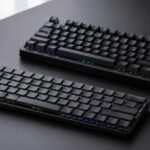
Keychron V6 Ultra 8K in Singapore: Is a Full-Size Hot-Swap Keyboard Right for You?

VITURE Pro 2 vs VITURE Pro: Which XR Glasses Make More Sense in Singapore?

About the Author
Sesera editorial account organises laptop, AI, and gadget guides for readers in Singapore.
VITURE Pro 2 and VITURE Pro can both give you a private screen for a compatible phone, handheld or computer. If you are starting from scratch, Pro 2 is the simpler choice because it uses USB-C and has the newer display specification.
VITURE Pro still makes sense if its electrochromic film matters to you or if you already own accessories made for its magnetic connection. In Singapore, check the exact host device and accessory bundle before comparing the glasses themselves.
Choose by your existing devices first
The most important question is not screen size. It is whether the device you plan to use can send video to XR glasses. For a direct USB-C connection, look for DisplayPort over USB-C, DP Alt Mode or Thunderbolt in the host device specification.
Do not assume that every USB-C port works. Some ports only charge or transfer data. A phone, tablet or laptop with the right port can connect more simply, while a console or HDMI source may need a compatible VITURE adapter or dock.
If you use a work laptop, test whether your employer allows external displays and the required software before relying on XR glasses for daily work. A video-capable port does not confirm that every company setup, screen-sharing tool or security policy will suit the arrangement.
| Check before choosing | Why it matters |
|---|---|
| Host video output | Determines whether a direct connection is possible |
| Connection generation | Pro 2 uses USB-C; Pro uses VITURE’s magnetic connection |
| Existing accessories | Older adapters may not work with Pro 2 |
| Light control | Pro has electrochromic film; Pro 2 uses a lens shade |
| Return and warranty terms | Confirm the terms that apply to a Singapore order |
Write down the full model of your phone, handheld, laptop and any adapter you already own. This is more useful than choosing from a product photograph or a short marketplace title.
What changes between the displays
VITURE lists Pro 2 with Sony Micro-OLED panels, up to 1080p per eye, a 50° field of view and up to 120Hz. Its built-in dioptre adjustment reaches −5.0D. These are useful specifications for video, games and desktop work, but they do not replace checking whether the glasses fit comfortably.
VITURE describes the older Pro as a 135-inch virtual 1080p display with 120Hz support. It also has built-in dioptre adjustment to −5.0D. The practical difference is not that one model works for every person and the other does not. It is the connection and light-control trade-off around the display.
Decide whether electrochromic film matters
VITURE Pro has electrochromic film, which lets you change how much outside light comes through the lenses. That can be useful when you move between a bright room and a darker one and want to change the background without fitting a separate shade.
Pro 2 does not include that control. It uses a lens shade instead. If you already know you want electronic tint adjustment, the older Pro has a clear feature advantage. If you do not need it, Pro 2’s USB-C connection removes one compatibility decision.
Treat old accessories as model-specific
Do not treat a VITURE accessory as universal just because it has a familiar name. The glasses use different connection systems, and an older magnetic accessory can be a reason to keep the Pro rather than change to Pro 2.
For a Switch, PlayStation, Xbox or HDMI streaming stick, check the exact adapter or dock in the bundle. The glasses alone do not turn every source into a direct USB-C video output. Confirm the current compatibility list before placing an order.
The safer choice for a new Singapore setup
Choose Pro 2 if you are building a new setup, your main device supports video over USB-C and you do not need electrochromic film. Its current USB-C connection is easier to understand when you are not carrying over older VITURE accessories.
Choose Pro if electronic tint adjustment is important or you already have a confirmed Pro-compatible accessory. Before buying either model in Singapore, check the exact package, delivery, return and warranty terms shown for your order. Worldwide shipping information is not the same as local stock or local service.
For both models, confirm the host device first. A compatible source and the right adapter will make more difference to daily use than a small specification difference between the glasses.
Related Articles
-


- Lost Your Camera Lens Cap? How to Find the Right Size in Singapore
- M.2 SSD Screw Size: Why 2280 Does Not Tell You the Right Screw
- BenQ PD2706U vs ASUS ProArt PA279CV: Which 27-inch 4K monitor makes sense in Singapore?
- Jackery Explorer 1000 Plus vs 1000 v2: What to Check Before Buying in Singapore
- Canon EF24-70mm vs RF24-70mm: Which f/2.8 Zoom Makes Sense in Singapore?
- US ANSI vs ISO Hot-Swappable Keyboards in Singapore: What to Check Before You Choose
- Razer BlackWidow V4 75% in Singapore: US vs Traditional Chinese Layouts
- HOVERAir VERSA vs X1 PROMAX: What to check in Singapore
- Razer Huntsman V3 Pro Low-Profile vs Standard 8KHz in Singapore