Recommended Laptop Specs for College: Memory, Storage, Windows or Mac
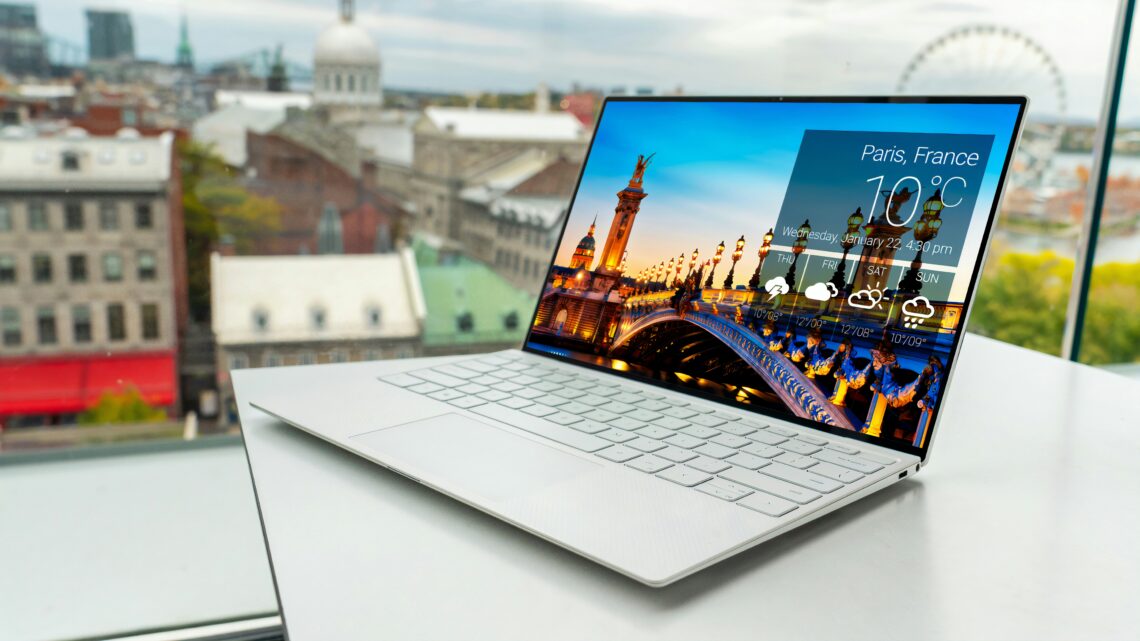
Dell or HP: which notebook for work, school, and price

About the Author
Sesera editorial account organizes laptop, mini PC, smartphone, and gadget buying guides so readers can check the important points before buying.
Hello, this is Sesera. I like PCs.
Dell vs HP stalls a lot of people. The two makers are not the same. Dell leans work tool. HP leans a look you want to carry.
Fit by job, first
A rough split: work and office is Dell. School, carry, and looks is HP. A notebook is the work, not the brand.
Dell is Inspiron, Latitude, XPS. Home to office PCs sit in a line. You check utility more than flash.
HP is Pavilion, Envy, OmniBook. Weight, color, lid, touch: the mood of a thing you take out every day.
| Use | Dell | HP | Note |
|---|---|---|---|
| Work, office | ◎ | ○ | Excel, Zoom, decks: Dell is the solid pick |
| School, reports | ○ | ◎ | Campus plus looks: HP |
| Carry | ○ | ◎ | ~1kg light models: HP is stronger |
| Looks first | △ | ◎ | Envy and OmniBook feel like you own them |
| Games | △ | △ | Not a normal notebook. Split to gaming series |
| Price first | ◎ | ○ | Sale Inspiron is often strong |
Work: Dell
For work I lean Dell. Spec, ports, warranty, and office-PC calm over flash: Dell.
This is my own picture of it: Dell is a steady office worker in their 30s. Black or silver, not loud. Fine in a meeting room and on a home desk.
Inspiron sits between home and work. Latitude leans company PCs. XPS is a nicer carry machine. Excel, Zoom, browser, PDF, chat: Inspiron is enough.
Screen is how wide the desk paper is. 15.6 inches makes it easier to keep a deck beside the work. Home or office desk: Inspiron 15 3530 is a fair size. Starting weight is about 1.66kg, so it is more a stay-put PC than a daily backpack.
Buy for work/office as written here: 16GB RAM and 512GB SSD on Inspiron 15. Listings change the kit, so check 16GB/512GB before you buy.
School and carry: HP
Campus every day: HP fits well. Weight, color, and the lid: HP feels better when it comes out of the bag.
HP reads as a 20-something who likes looks and still lives in the real world. Pavilion is cheaper daily use. Envy is a nicer lid. OmniBook is a newer, higher line.
Reports, class, video, light photo work: HP is enough. Opening it in a cafe without feeling odd matters for a thing you use every day.
Weight is daily bag pain. HP Pavilion Aero 13-bg is 13.3-inch, about 990g, so textbooks and a bottle still sit light. Smaller than Dell’s 15.6-inch. For campus that light weight wins.
Campus and carry first: light Pavilion Aero 13 at 16GB/512GB matches this piece. Reports, online class, browser: that is enough.
Price band changes the call
Around ¥100,000: Dell Inspiron and HP Pavilion. Price-only picks often land on 8GB RAM or 256GB SSD. Watch that one line.
Around ¥150,000: Dell is higher Inspiron or XPS. HP is Envy or OmniBook. You pay for weight, screen, keyboard, and feel, not only speed.
If you are not serious about video edit or games, you do not need the top line. Work first: Dell. Campus first: HP. Put that split down, then see where to spend.
| Band | Dell series | HP series | Who it fits |
|---|---|---|---|
| Around ¥100,000 | Inspiron | Pavilion | Browser, reports, office work |
| Around ¥150,000 | Higher Inspiron / XPS | Envy / OmniBook | Daily main PC, some extra feel |
| Higher | XPS / higher Latitude | OmniBook / Spectre | Weight, screen, keyboard all matter |
| Examples in this piece | Dell Inspiron 15 3530 | HP Pavilion Aero 13-bg |
|---|---|---|
| Photo |  |  |
| Where it fits | Home or office desk | Campus, cafe, travel |
| Screen | 15.6-inch class, easier work | 13.3-inch, easier in a bag |
| Weight | from about 1.66kg | about 990g |
| Config to check | 16GB RAM / 512GB SSD | 16GB RAM / 512GB SSD |
Spec to check before you buy
Beginners stall on spec more than the maker name. Dell or HP, a thin spec hurts on window switches and storage.
You do not need every model number. 16GB RAM, 512GB SSD, and under 1.5kg if you carry it. Check those three before you buy.
If you stall, run the pre-buy PC check with use and budget, then cut the list.
RAM is how wide the desk is
RAM is how wide the work desk is. A small desk stutters when you open tabs, Zoom, Word, and Excel at once.
Web, decks, class, online meetings: a new main PC still wants 16GB. 8GB runs. If you keep it for years, take 16GB.
8GB is enough for a few tabs, video, and rare writing. Zoom plus a deck, dozens of tabs, a bit of photo work: 16GB is calmer.
SSD is drawer size
SSD is the drawer for photos and apps. If it is small, phone photos, Office, PDFs, and class files fill it slowly.
Daily use: 512GB. 256GB is a cheap-kit size. A long-term main PC wants 512GB.
256GB fits people who live in the cloud and keep almost no photos or video on the machine. Phone photos, class video, work files on the PC: 512GB. Games or video files: add an external SSD to the check.
CPU is how fast the head turns
CPU is how fast the head turns. Writing, web, video: you do not need the top chip.
Work or school main PC: Core i5 class, Ryzen 5 class, or Core Ultra 5 class is enough. Serious games or video edit: split to a gaming or creator PC.
Core i3 class still runs writing and the web. A main PC for years wants Core i5 class. Cheap Celeron or an old low-power chip will hurt on window switches. Skip that.
Screen and weight show up in daily life
13–14 inch is carry. 15–16 inch is easier on a desk. Smaller is lighter. Excel and decks side by side get tiring on the small one.
Weight is the bag. Campus: HP around 1kg. Desk work: 15.6-inch Dell. That split is practical.
Every day in the bag: stay under about 1.3kg. Occasional carry: 1.6kg is fine. Crowded trains and long campus walks add up. Life is more honest than the spec sheet here.
FAQ
Q. Zoom and Excel at work: Dell or HP?
Dell. Inspiron at 15.6 inches gives work space. Latitude adds more office-PC calm.
Q. Campus every day: 15.6-inch or 13.3-inch?
Daily carry: 13.3-inch HP Pavilion Aero 13-bg. About 990g, so textbooks and a bottle stay light.
Q. Around ¥100,000: Dell Inspiron or HP Pavilion?
Home or work desk: Dell Inspiron. Campus and cafe: HP Pavilion. Check 16GB RAM and 512GB SSD on both.
Q. Is a cheap 8GB model enough for reports and video?
Light use runs. A main PC for years still wants 16GB. Extra tabs stutter less.
Wrap-up
Dell vs HP: work is Dell; school, carry, and looks are HP. Dell is utility. HP is looks and weight. That gap is enough to decide.
Price first: Dell Inspiron. Daily carry: HP Pavilion Aero 13-bg. Check 16GB RAM and 512GB SSD on both. Games and real video edit stay in another box.
Related maker splits: Lenovo vs HP, Dell vs Lenovo.
Related Articles
-


- Is the iMac Good for Music Production? M4, Memory, Storage, and Ports
- Is the MacBook Pro Good for Blender? M5 Pro/Max, Memory, and GPU Guide
- Is the iMac Good for Video Editing? M4, Memory, SSD, and Ports
- Mac mini or MacBook Air: Which Should You Buy for Desk or Portable Use?
- Is the iMac Good for Blender? M4, Memory, and 3D Work Limits
- Do You Need a MacBook Pro for Work? Office, Remote Work, and Air Tradeoffs
- Can You Still Use a Windows 10 PC? Upgrade, Replace, or Retire It
- Is the Mac mini Good for AI Development? M4 Pro, Memory, and Local LLMs
- Is the MacBook Pro Good for Illustrator and Photoshop? Memory and SSD Guide
